BTC/USDT…
$—··· %

Drag it anywhere.

Your price stays on top.

Traders Window is a tiny widget that floats over every app on your Mac, even full-screen charts, with live prices, funding, liquidations and alerts you can't miss.

Download for macOS Free, no account. macOS 13 or later. How to install

Everything a trader glances at, in 250 pixels

Point at any item to see where it lives on the widget. In the app, click any number or badge and it explains itself.

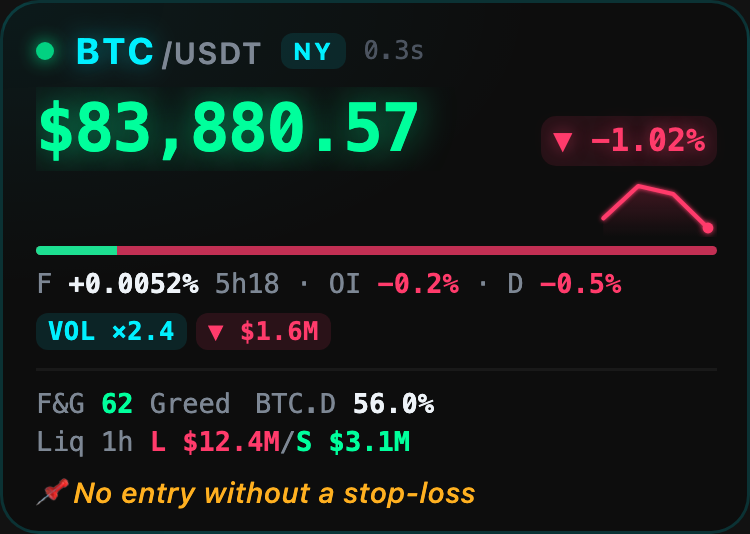
Traders Window showing Bitcoin at $83,880 with funding, open interest, volume and liquidation data
Full mode, one coin. Badges only appear when something is unusual.

Alerts you can't miss

Phone notifications get buried. Traders Window puts the alert on the screen you're already looking at, and keeps at it until you notice.

  • Set a move in dollars, percent or σ, the coin's own normal hourly swing, so 2σ means unusual for BTC and for a small cap alike.
  • The frame pulses and the row shows why: a $ move, a funding flip, a liquidation wave or unusual volume.
  • Each alert type has its own sound, repeated every 12 seconds until you dismiss it.
  • Away from the desk? Alerts can also reach your phone through the free ntfy app. Set it up in three minutes.
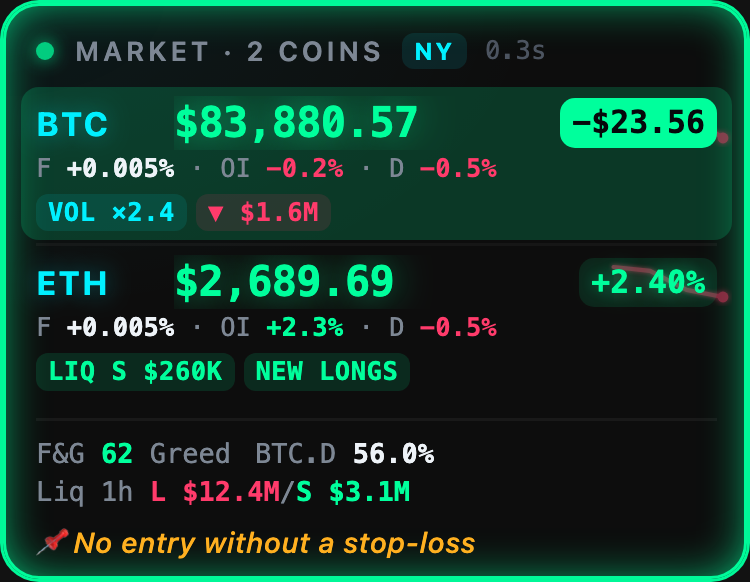
An alert: the BTC row pulses green and shows the move since the reference price

Your risk, not just the price

Connect Binance Futures with a read-only key and the widget watches your side of the trade too.

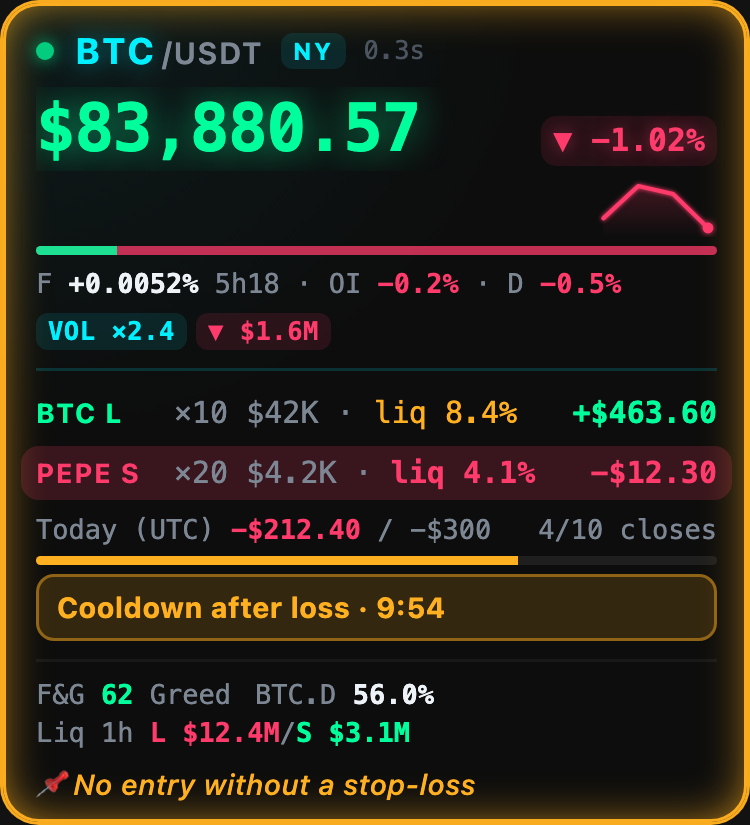
  • Every open position with leverage, size, unrealized P&L and how far it is from liquidation.
  • An urgent alert when a position gets close to its liquidation price.
  • A daily loss limit that turns the widget red when you hit it, a max number of trades, and a cooldown timer after a loss.
  • A rule of the day, always in view. Privacy mode blurs the amounts when you stream.
Positions with liquidation distance, today's result, a daily loss meter and a cooldown timer

Out of your way when you need the screen

It lives on top of everything, so it has to know when to step back.

  • Half transparent until your mouse comes near, then fully clear.
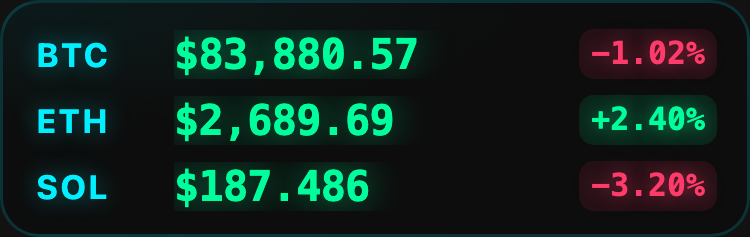
  • Compact mode shrinks it to one line per coin.
  • Ghost mode lets clicks pass straight through to the chart underneath. Click the ghost to bring it back.
  • Global shortcuts to hide it, switch size, dismiss alerts or blur amounts, without touching the mouse.
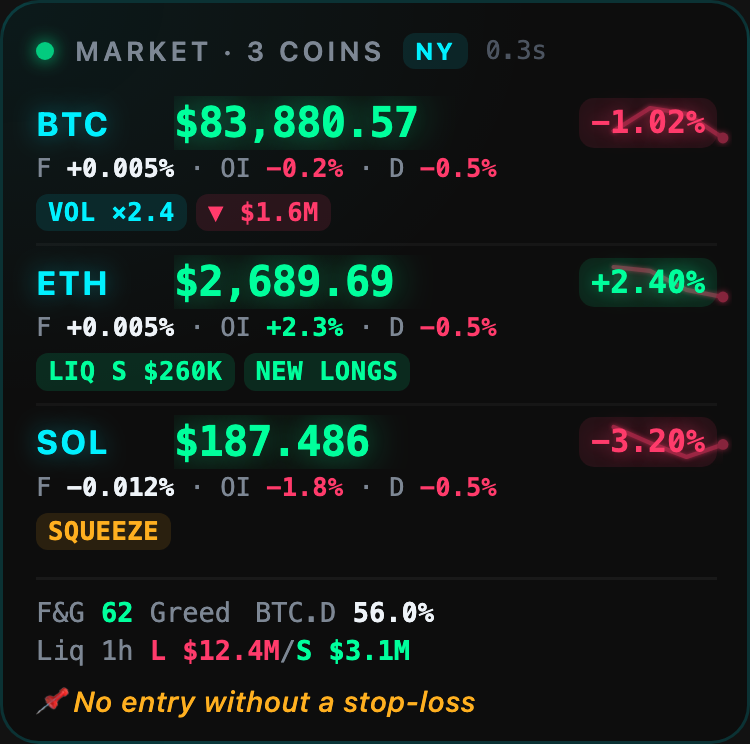
Three coins in full mode with funding and open interest under each Compact mode: one line per coin

Direct from the exchange

Prices stream from Binance over WebSocket, not from a slow aggregator refreshing every few minutes.

Nothing to sign up for

No account, no email, no tracking. Your settings stay on your Mac.

Read-only by design

It can't place orders or withdraw, and it refuses any key that could.

Light

A native Mac app of a few megabytes, built in Rust. It won't slow your charts down.

Download Traders Window

Version 0.1.5 for macOS 13 Ventura or later, Apple silicon and Intel.

Download for macOS

It's free and isn't signed with a paid Apple certificate, so macOS asks you to confirm the first time you open it. See the install guide with pictures.

Install in a minute

  1. Open the downloaded fileDouble-click TradersWindow.dmg in your Downloads folder.
  2. Drag it to ApplicationsDrop the Traders Window icon onto the Applications folder.
  3. Allow it onceOpen it from Launchpad. If macOS says it can't verify the developer, go to System Settings → Privacy & Security, scroll down and click Open Anyway.
  4. Pick your coinsHover the widget and click the gear. It appears in the top-right corner and remembers where you leave it.

Questions

Is Traders Window really free?

Yes. No ads, no account, no trial, no paid tier. If it helps you, you can buy me a coffee, but you never have to.

Can it trade or move my money?

No. Prices come from public market data. Connecting your Binance account is optional and only accepts a read-only API key: the app checks the key's permissions and refuses any key that can trade, withdraw or transfer. The key is stored in your Mac's Keychain and is only ever sent to Binance.

Why does macOS warn me the first time I open it?

Traders Window is a free project and isn't signed with a paid Apple developer certificate, so macOS asks you to confirm once. Open System Settings → Privacy & Security, scroll down and click Open Anyway. You only do this the first time. The install guide shows each screen.

Does it collect any data about me?

No. There are no analytics, no accounts and no servers of ours in between. The app talks directly to Binance, alternative.me and CoinPaprika for market data, and to ntfy.sh only if you turn on phone alerts.

Does it really stay on top of full-screen apps?

Yes. It floats over full-screen TradingView, browsers and exchange apps. Clicking it doesn't take focus away from your trading app, and ghost mode lets your clicks pass straight through.

Which coins and exchanges does it support?

Any coin with a USDT pair on Binance, up to 8 at once. Futures data (funding, open interest, liquidations) appears for coins that have a Binance perpetual contract. Binance is the only data source for now.

Does it work in the United States?

Binance.com restricts US users. Prices usually still load through Binance's public market-data mirror, but futures data may be unavailable.

Is there a Windows version?

Not yet. Traders Window is macOS only for now. You can ask for it, and upvote the request, in Feedback & ideas.

How do I suggest a feature or report a problem?

Post it in Feedback & ideas on GitHub. Ideas that get the most upvotes are built first. For problems, include your macOS version and what you tried.

What do I need to run it?

A Mac with macOS 13 Ventura or later, on Apple silicon or Intel.